
IconEdit2
7.5
Size: 4.97 MB
Downloads: 6773
Platform: Windows (All Versions)

Any Windows application uses an icon in order to display its executable file. Icons are very useful for noticing a certain type of file and for making an application more attractive. Still, there are times when you would like to change the icon of a file, maybe because it doesn't properly describe the program's functionality or you may just get bored of it. In this case, the best idea would be to create a new icon from scratch or to edit an existing one, as your heart desires. But in order to do this, you would need a specialized program. In case you are looking for such a program, you can consider it over, as IconEdit2 is the right software for the job.
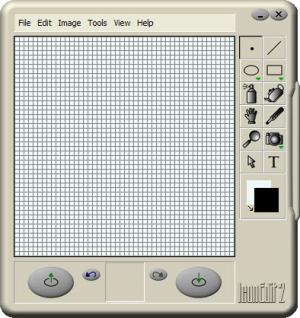
This simple Windows program allows you to create icons from scratch, using various drawing tools or to import and edit a wide range of icons and image formats. It can be installed in a few seconds and supports any version of Windows. Besides that, the interface of IconEdit2 can be used from the start, without spending time understanding its features. That's because every option is simple and intuitive.
The user can create a new icon from scratch by using various drawing tools which resemble the ones included in MS Paint. For making it easier to design a new icon, its size can be zoomed in, so you will be able to draw each detail properly. Besides creating icons from scratch, the program also allows importing an icon file or a graphical format and editing it. The program is compatible with any kind of icon file, no matter its size.
After editing or creating a new icon, the user can save it in various image formats and icon quality settings. The program can create icons which are compatible with any Windows version. It even allows creating avatar images for various IM applications, like AIM and Yahoo Messenger.
Pros
It allows creating icons from scratch using various drawing tools. Besides that, icons can be imported from various icon files and graphical formats and can be edited. Furthermore, the program supports any icon size.

Cons
The interface may seem a bit difficult to use and it doesn't support any themes. IconEdit2 allows you to create any kind of icon that can be used with any application, in the shortest time possible and with minimum effort.

IconEdit2
7.5
Download
IconEdit2 Awards

IconEdit2 Editor’s Review Rating
IconEdit2 has been reviewed by Jerome Johnston on 24 Apr 2012. Based on the user interface, features and complexity, Findmysoft has rated IconEdit2 4 out of 5 stars, naming it Excellent







